Go to the Teacher Workspace

View your schedule in either Traditional or Calendar View

At the bottom of the screen you will see the Untimetabled classes area
Click the Add button

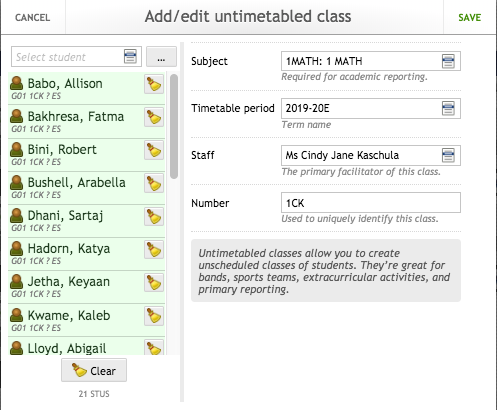
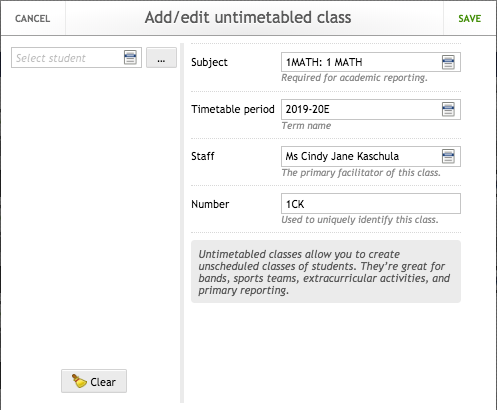
First add the details for the class
Subject - MATH, LANGARTS or UOI with a preceding Grade Level
Timetable period - 2019-20E (Elementary this year)
Staff - Homeroom Teacher
Number - Homeroom Code
Next enrol the students in the class
Click the  icon next to the Select student dropdown
Then select the Group tab and the Homeroom class
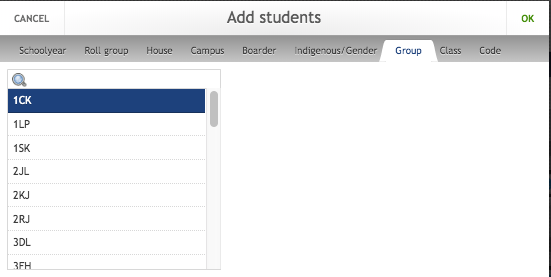
Click OK - you will see the students to be enrolled in the class. Click Save